Skills
Skills are modular capabilities that agents can use to perform specific actions. Think of them as plug-and-play tools — like sending an email, generating a report, or analyzing data — that can be added to an agent based on its role.
Telex allows you to assign skills to agents during creation or editing, enabling more specialized and powerful behavior. This section outlines the vision for skills and how they’ll enhance agent functionality.
How to Add and Configure Skills
Until an skill is added to an agent (AI Coworkers), they simply just chatbots with no functionality. For these agents to be able to perform specific tasks, you are to add and configure skills appropriate for their use case from the agent configuration page. The process is designed to be straightforward:
-
Navigate to Your Agent: Go to the AI Coworkers section and select the agent you wish to configure.
-
Open the Skills Tab: In the agent configuration page, you will find a Skills tab. On the skills tab you will see a button that says "Add Skills". Clicking this will open the skill management interface.
-
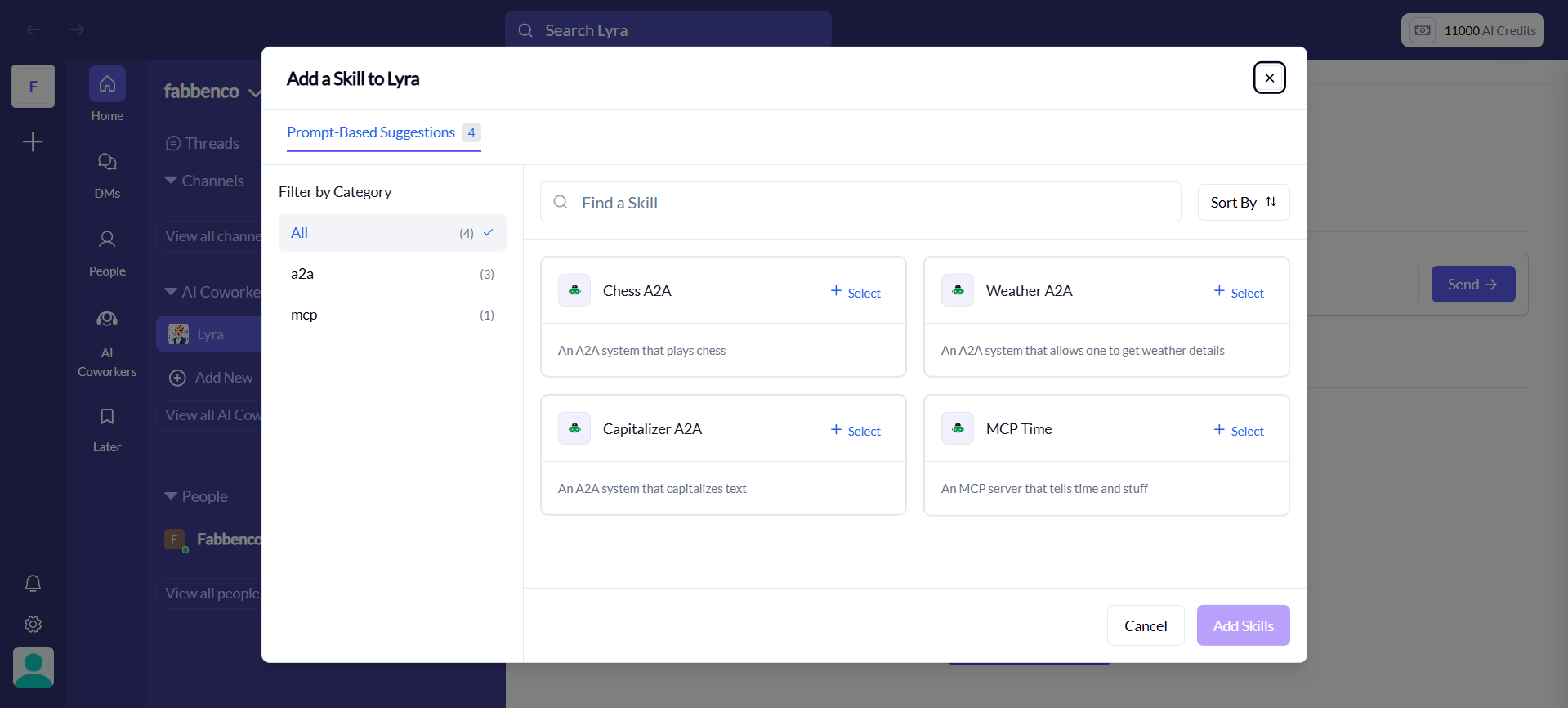
Browse and Select Skills: You'll see a list of available skills. You can search and filter to find the ones you need. To add a skill, simply click the select button beside the skill name (you can select multiple skills)
-
Add Skills: Once you have selected the skill or skills you want to add, click the "Add Skills" button next to it.
-
Configure Skill Settings: After adding a skill, a configuration panel will appear. Each skill has its own set of parameters. For example:
- A Google Search skill might not need any configuration.
- A Send Email skill might require you to specify a recipient email address, subject line, and body.
- A Website Monitor skill would need the URL to monitor, the check frequency, and the channel for alerts.
-
Save Changes: Once you've added and configured all the desired skills, save the agent's configuration. The agent will now have these new capabilities.
Example: Equipping a Support Agent
Imagine you have a support agent that handles customer queries. You could equip it with the following skills:
- Knowledge Base Search: To look up answers from your internal documentation.
- Configuration: The URL or ID of your knowledge base.
- Create Support Ticket: To create a new ticket in your helpdesk system (e.g., Zendesk, Jira).
- Configuration: Your helpdesk API credentials and project ID.
- Summarize Conversation: To create a concise summary of the user's issue.
- Configuration: None required.
With these skills, the agent can now understand a user's problem, search for a solution, and if it can't find one, create a support ticket with a summary of the conversation for a human agent to take over.