QuickStart
To get started quickly, visit the AI Coworkers Page to browse ready-to-use and add agents across support, marketing, engineering, and more.
Each agent includes:
- Its name and role
- A short description of what it does
- How it works
- What it does
Use the search bar to filter by task or category. Once you find an agent you find an agent suitable for your use case, and click the Add to your team button to add it instantly to your workspace.
Configure Your Agent
Once you add an agent to your workspace, it becomes available for interaction but cannot perform any tasks yet. To make it functional, you’ll need to configure:
- Prompts: Define how the agent responds to users or triggers
- Tasks: Set up what the agent should do (e.g. summarize, notify, tag)
- Skills: Attach modular capabilities that power each task
To do this, from the sidebar click on:
AI Coworkers → Browse Colleagues -- to locate the page below:
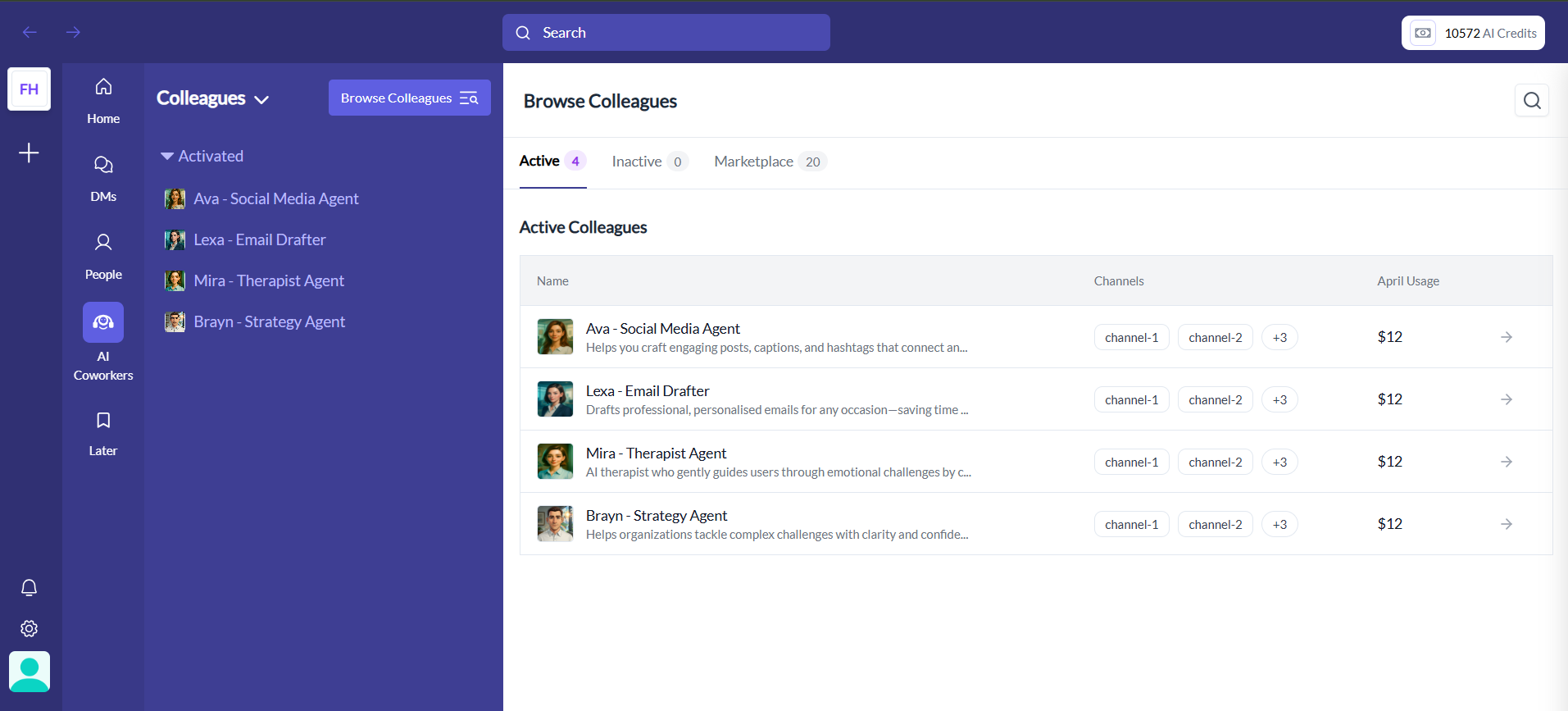
On the list available agents find your agent and click on the → button to view the agents configuration page below:
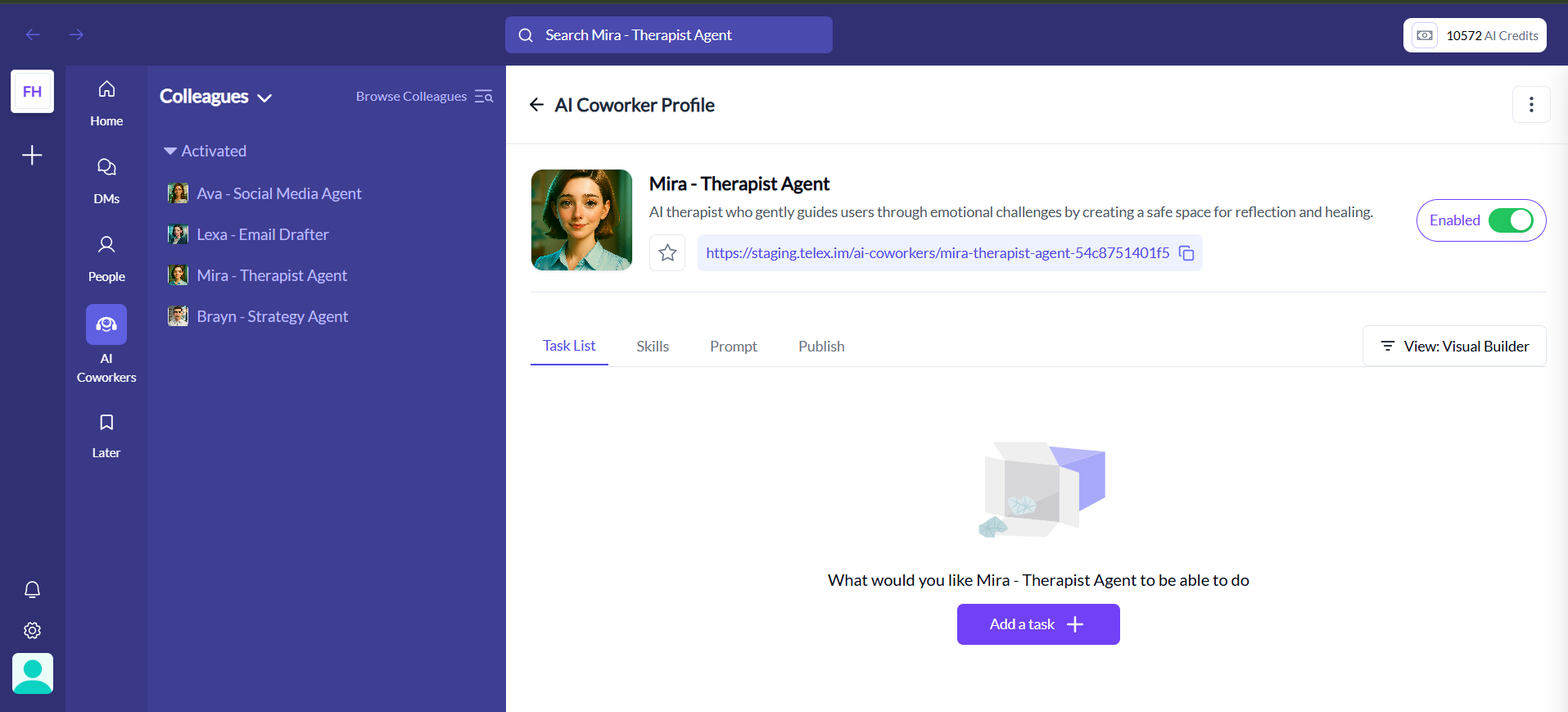
From this page, you can click on any of these tabs below to configure: